

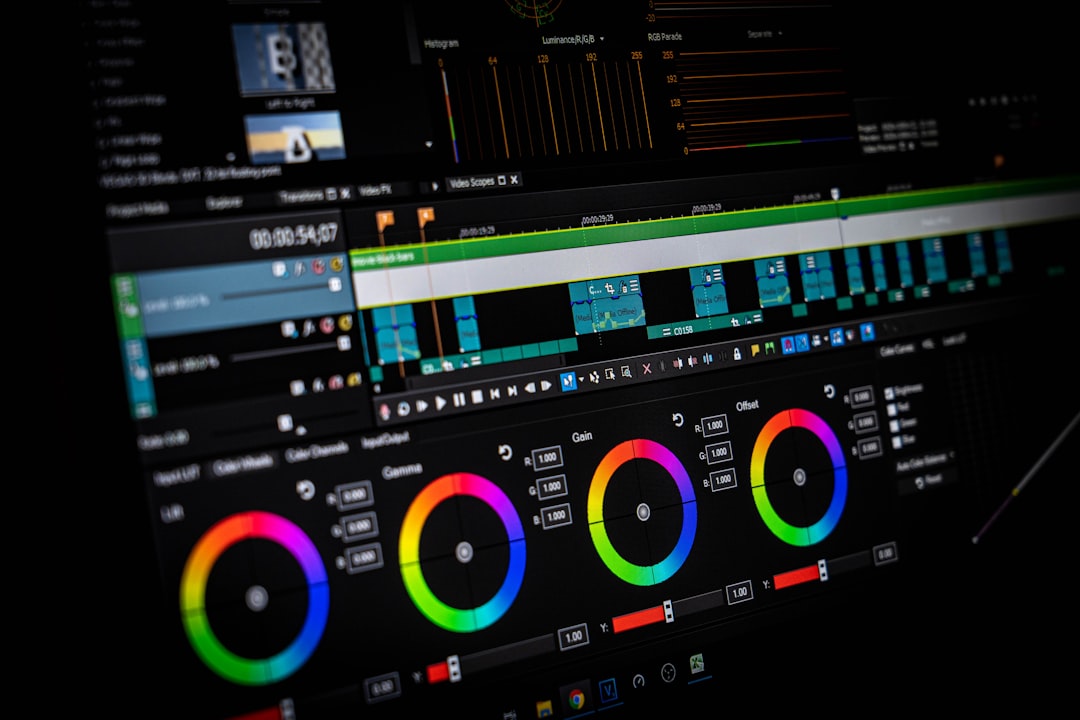
Runway is the safer choice if your goal is to create polished professional videos faster, especially when you need editing controls, brand consistency, quick revisions, and a practical workflow. Kling AI can produce impressive cinematic clips, and in some cases its motion realism looks more natural. But speed is not only about generation quality. It is also about how quickly you can turn raw AI clips into a finished video that a client, manager, or audience can actually use.
TLDR
Choose Runway for faster professional production. It gives you more tools in one place, so you spend less time exporting, fixing, and rebuilding clips elsewhere. Choose Kling AI when you need highly realistic motion from a prompt, such as a dramatic product reveal or a lifelike character shot. For example, a small marketing team creating a 30 second social ad may finish 6 to 8 usable video variations faster in Runway, while Kling may deliver one stronger hero shot that still needs outside editing.
Quick Verdict: Runway Wins on Workflow, Kling Wins on Raw Visual Punch
Runway and Kling AI are both powerful AI video tools, but they solve slightly different problems. Runway feels like a creative production suite. It is built for people who need to generate, edit, refine, and deliver videos with fewer tool changes. Kling AI feels more like a high quality generation engine. It can create striking scenes from text or images, often with strong movement, depth, and realism.
The real question is not “which one looks better?” The better question is: which one gets you to a finished professional video faster? For most business, brand, agency, and creator workflows, that answer is Runway.

Runway: Better for Teams That Need Finished Videos
Runway has a clear advantage when the job requires more than generating a beautiful clip. It supports a broader creative workflow, including AI video generation, video-to-video tools, image-to-video, background removal, inpainting, motion control, and other editing functions depending on the plan and model available.
That matters because professional video work is rarely a one-shot process. A client asks for a shorter version. The product needs to stay visible for two more seconds. The background feels too busy. The opener needs another angle. Runway is built for that messy middle stage.
Its strongest advantages are:
- More complete workflow: Generate, edit, revise, and export from a connected workspace.
- Useful creative controls: Tools for guiding motion, framing, style, and scene changes.
- Good for branded content: Better suited for ads, explainers, social campaigns, and pitch videos.
- Faster revision cycles: Less jumping between separate apps.
- Stronger production feel: It supports a more structured creative process.
Honestly, it feels like Runway was designed by people who understand that generation is only half the job. The less glamorous part is fixing the clip after the first result misses the brief. Runway makes that part less painful.
Kling AI: Strong for Cinematic AI Clips
Kling AI is impressive when you judge it on visual generation alone. It can create realistic movement, detailed scenes, and camera motion that often feels more natural than older AI video models. If you are building a mood film, a concept trailer, a fantasy sequence, or a dramatic product shot, Kling can be a serious option.
Its main strength is the quality of the generated clip. In many examples, Kling handles motion, lighting, and subject consistency well. It is especially appealing when your prompt describes a scene with physical movement, such as a person walking through rain, fabric moving in wind, or a camera pushing toward a product on a table.
Kling’s strongest advantages are:
- High realism: Strong motion and natural scene behavior in many outputs.
- Cinematic feel: Good for atmospheric visuals, story scenes, and concept work.
- Prompt driven speed: You can test bold ideas quickly without a full shoot.
- Useful image-to-video output: Strong choice for animating still concepts or product visuals.
The catch is that a beautiful clip is not the same as a finished video. If you need captions, precise cuts, brand-safe edits, scene matching, aspect ratio versions, and final delivery assets, you may still need another editor. That extra step can eat the time Kling saved at the start.
Speed Comparison: Where Time Is Really Lost
AI video tools often advertise speed by focusing on generation time. That is useful, but incomplete. A clip that takes one minute to generate may still take an hour to repair, trim, upscale, reframe, caption, and approve.
For professional work, speed comes from five areas:
- Prompt accuracy: How often the first output matches the brief.
- Control: How easily you can adjust motion, framing, and style.
- Editing depth: Whether you can polish the result inside the same tool.
- Consistency: Whether characters, products, and visual style remain stable.
- Export readiness: Whether the video can move straight into posting or client review.
Runway performs better across the full chain. Kling may produce a more impressive standalone shot, but Runway usually helps you reach a usable business result faster. That difference matters if you are producing weekly content, paid ad tests, client concepts, or internal product videos.
Output Quality: Which Looks More Professional?
This is where the answer becomes more balanced. Kling AI can look excellent. Its clips often have strong visual depth and convincing movement. For a single cinematic moment, it may beat Runway depending on the prompt, scene type, and current model version.
Runway’s quality is also strong, but its value is broader. It gives creators more ways to steer the output. That can make the final result feel more professional, even if one raw Kling clip looks more dramatic at first glance.
Professional quality is not just realism. It includes pacing, message clarity, brand fit, and revision reliability. A video that looks stunning but misses the product angle is a problem. A slightly less flashy video that hits the brief, supports the campaign, and can be revised in 15 minutes is often more valuable.
Best Use Cases for Runway
Runway is the better choice for users who need repeatable production. This includes agencies, content marketers, startup teams, YouTubers, educators, and creative departments.
- Social media ads: Create multiple campaign versions quickly.
- Product explainers: Combine generated scenes with edits and overlays.
- Brand videos: Keep style and pacing under tighter control.
- Client pitches: Build concept videos without a full production budget.
- Creator content: Generate intros, cutaways, and visual sequences.
If your team measures output in weekly deliverables, Runway will usually feel more practical. It reduces the number of disconnected steps. That saves time, and it also reduces mistakes.
Best Use Cases for Kling AI
Kling AI is best when the clip itself is the main event. If you need a striking shot for a pitch deck, a cinematic sequence, or a visual experiment, it can produce results that are hard to ignore.
- Concept trailers: Create rich scenes before hiring a crew.
- Hero shots: Generate dramatic visuals for campaigns.
- Mood films: Test tone, lighting, and camera movement.
- Storyboarding: Bring static ideas closer to moving previews.
- Visual experiments: Try scenes that would be expensive to shoot.
Expect to waste time on extra cleanup if the final video needs precise edits or brand formatting. Kling can get you a beautiful building block. It may not give you the finished building.
Pricing and Value
Pricing changes often with AI video platforms, so the smarter way to compare value is by output per hour. If one tool costs slightly more but saves two editing steps, it may be cheaper in real production terms.
Runway tends to offer stronger value for teams because it supports more of the production pipeline. Kling’s value is strongest when its generation quality reduces the need for reshoots, stock footage, or complex animation. In both cases, teams should test with real prompts from their own work, not only public demos.
Which Tool Should You Choose?
Choose Runway if you need professional videos faster. It is the better all-around tool for production, revisions, and practical business output. It helps you move from idea to publishable asset with fewer interruptions.
Choose Kling AI if your top priority is cinematic generation quality. It is a strong choice for eye-catching scenes, visual concepts, and realistic motion. But plan to pair it with an editor if the work needs polish, captions, cuts, music, or brand delivery formats.
The best answer for some teams is to use both. Use Kling AI to generate standout hero clips. Use Runway to build, refine, and finish the final video. But if you want one tool that helps you create professional videos faster from start to finish, Runway is the more reliable pick.