


Choose a landing page builder with native A/B testing, clear analytics, fast load times, and easy integrations. The best options let you test headlines, forms, calls to action, pricing blocks, and page layouts without waiting on a developer. If your traffic is worth paying for, guessing is too expensive.
TLDR: Landing page builders with A/B testing help teams compare two or more page versions and see which one converts better. For example, a SaaS company sending 8,000 monthly visitors to a demo page might test a shorter form and lift conversions from 4.2% to 5.6%, adding about 112 extra leads per month. Unbounce, Instapage, Leadpages, HubSpot, and ConvertKit are strong choices, depending on budget, traffic, and marketing stack.
Why A/B Testing Matters on Landing Pages
A landing page has one job: get the visitor to act. That action may be a purchase, signup, booking, download, or form submission. Small changes can make a real difference, especially when paid traffic is involved.
An A/B test compares page variants against each other. Version A might use the headline “Start Your Free Trial”. Version B might say “Build Your First Campaign in 10 Minutes”. The winner is not the one your team likes most. It is the one visitors respond to.
The catch is that bad testing tools can waste hours. Some builders make you duplicate pages manually, reconnect forms, and check results in three different places. That gets old fast.
Key Features to Look For
- Native A/B testing: The builder should let you create variants inside the same campaign. You should not need another tool for basic split tests.
- Traffic splitting: Look for simple controls, such as 50/50 or 70/30 traffic distribution. This helps you test safely when one version is riskier.
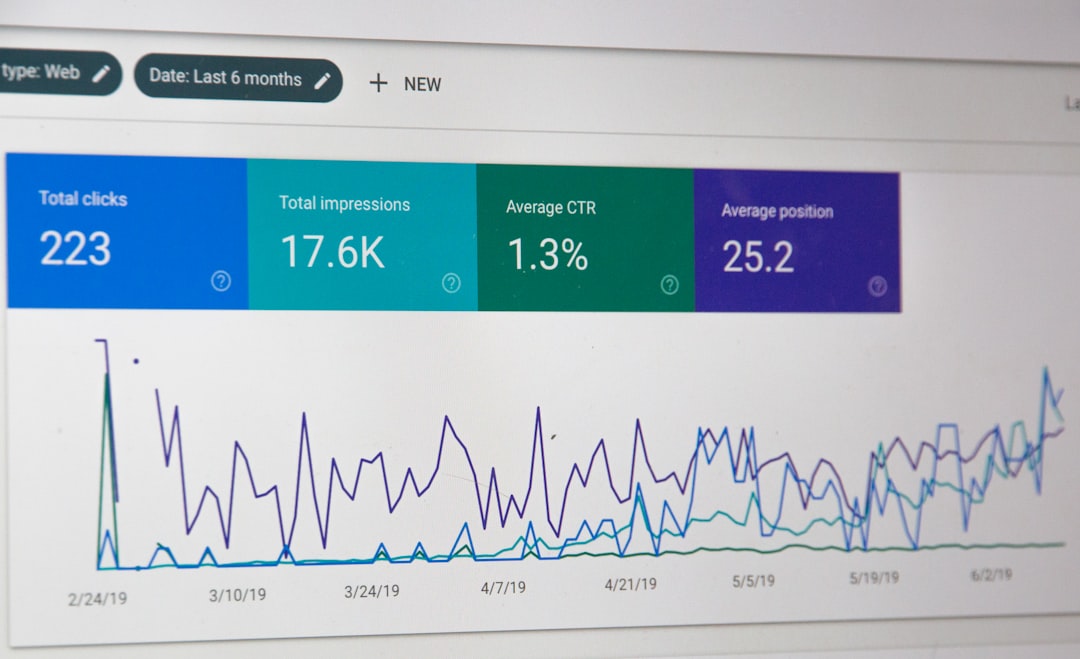
- Conversion tracking: The tool should track form submissions, button clicks, purchases, phone clicks, and custom goals.
- Statistical confidence: Some platforms show when a result is likely reliable. This keeps you from calling a winner after only 20 visits.
- Fast page speed: Slow pages hurt tests. If Version B is prettier but loads one second slower, your results may be distorted.
- Mobile editing: Many landing pages get most traffic from phones. You need control over mobile spacing, images, buttons, and form length.
- Integrations: Good builders connect with CRMs, email platforms, ad tools, analytics software, payment systems, and webinar tools.
- Reusable sections: Saved blocks for testimonials, pricing, FAQs, and forms speed up production and keep branding consistent.
- AI assistance: Some tools now suggest copy variants, headlines, layouts, and audience targeting. Useful, but still test the output.
Best Landing Page Builders With A/B Testing
1. Unbounce
Best for: performance marketers, agencies, and paid ad campaigns.
Unbounce is one of the strongest landing page platforms for conversion testing. It offers drag and drop editing, A/B testing, popups, sticky bars, and AI copy tools. Its Smart Traffic feature can route visitors to the page variant most likely to convert based on visitor attributes.
What stands out: strong testing features, flexible design control, and good tools for campaign teams. Annoyance: the editor can feel heavier than simpler builders, and new users may need a few sessions before it feels natural.
2. Instapage
Best for: larger ad teams, enterprise campaigns, and personalization.
Instapage is built for serious post click optimization. It includes A/B testing, heatmaps, collaboration tools, reusable page blocks, and ad to page matching. Teams running many campaigns will appreciate its workflow tools and approval features.
What stands out: excellent collaboration, polished templates, and strong analytics. Potential drawback: pricing can be steep for small teams that only need a few pages.
3. Leadpages
Best for: small businesses, creators, coaches, and local services.
Leadpages keeps things simple. You can build pages quickly, publish them without technical fuss, and run A/B tests on higher tier plans. It also supports alert bars, popups, checkout pages, and integrations with popular email tools.
What stands out: ease of use and good value. Honestly, it feels like one of the less painful tools for getting a page live in under an hour. Limitation: advanced testing and heavy customization are not as deep as enterprise focused platforms.
4. HubSpot
Best for: companies already using HubSpot CRM, email, and sales tools.
HubSpot’s landing page builder works best as part of its full marketing system. You can test landing pages, connect forms to CRM records, trigger email workflows, score leads, and report on revenue impact. This is useful when you care about lead quality, not just form fills.
What stands out: CRM connection, automation, and reporting. Potential drawback: costs rise as your database and feature needs grow.
5. ConvertKit
Best for: creators, newsletter writers, course sellers, and solo operators.
ConvertKit offers simple landing pages tied directly to email capture and automation. Its testing features are not as advanced as dedicated conversion platforms, but it is practical for creators who want to test opt in pages, lead magnets, and email funnels.
What stands out: fast setup and creator friendly email tools. Limitation: design flexibility and deep experimentation are more limited.
6. VWO
Best for: teams that want advanced experimentation beyond landing pages.
VWO is not just a landing page builder. It is an experimentation platform. It supports A/B testing, multivariate testing, heatmaps, session recordings, funnel analysis, and personalization. Pair it with your site or landing pages when you need deeper research.
What stands out: advanced testing and behavior analytics. Potential drawback: it may be more tool than a small team needs.
What Should You Test First?
Start with the parts that visitors notice first and the parts that block action. Do not begin by testing tiny color changes unless you already have high traffic.
- Headline: Test benefit driven copy against feature driven copy.
- Hero section: Try a product image, customer image, short video, or no image.
- Call to action: Test button text such as “Get My Quote” versus “Book a Free Call”.
- Form length: Compare three fields against six fields. Fewer fields often increase volume, but quality may drop.
- Social proof: Add reviews, client logos, star ratings, or case study numbers.
- Offer: Test a free trial against a demo, discount, guide, calculator, or consultation.
How to Run a Clean A/B Test
Pick one main goal before launching. That might be purchases, booked calls, email signups, or trial starts. Then test one major change at a time. If you change the headline, image, form, and price all at once, you will not know what caused the result.
Let the test run long enough. A page with 300 visits per month needs more patience than a page with 30,000 visits. As a rough guide, wait for at least a few hundred conversions before trusting small differences. If Version B wins by 2% after 40 conversions, stay skeptical.
Common Mistakes to Avoid
- Stopping too early: Early winners often fade after more traffic arrives.
- Testing low impact details: Button color matters less than offer, message, and form friction.
- Ignoring traffic source: Visitors from Google Ads may behave differently from newsletter subscribers.
- Forgetting mobile users: A beautiful desktop page can fail on a phone.
- Tracking only leads: Check sales quality, refunds, booked meetings, and customer value too.
Which Platform Should You Choose?
Pick Unbounce if paid traffic and conversion rate are your main focus. Choose Instapage if your team runs many campaigns and needs collaboration features. Use Leadpages if you want speed, simplicity, and fair pricing. Pick HubSpot if CRM reporting and automation matter most. Choose ConvertKit if email growth is the goal.
The best landing page builder is not the one with the longest feature list. It is the one your team will actually use every week. Build, test, learn, and repeat. That is where the gains come from.