


QR codes have become an essential tool for businesses, educators, marketers, and individuals who want to share information quickly and efficiently. From restaurant menus and digital business cards to event registrations and payment links, the applications are nearly endless. As demand grows, so does the number of free QR code generators available online. However, not all tools are equal in terms of reliability, customization, security, and long-term usability.
TLDR: Free QR code generators allow you to quickly create scannable codes for URLs, contact details, WiFi access, payments, and more. The best tools offer secure generation, customization options, downloadable high-resolution files, and no hidden fees. While many platforms are free for static QR codes, advanced features like tracking and editing often require a paid plan. Choosing a trustworthy provider ensures your QR codes remain functional and safe over time.
What Makes a QR Code Generator Reliable?
Before exploring specific tools, it is important to understand what separates a serious and trustworthy QR code generator from a questionable one. A reliable platform should provide:
- No forced registration for basic static QR code creation
- Clear distinction between static and dynamic QR codes
- High-resolution downloads (PNG, SVG, or PDF)
- No unexpected expiration for free codes
- Secure HTTPS encryption for safe data handling
Static QR codes permanently encode information and do not expire. Dynamic QR codes, on the other hand, allow you to edit the destination later and often include analytics tracking. Many platforms advertise “free” services but only offer temporary dynamic codes without stating clear limitations. Always read the fine print.
Top Free QR Code Generators You Can Use Online
1. QR Code Generator by The QR Code Generator (the-qrcode-generator.com)
This platform is widely recognized for its easy-to-use interface and professional design options. It allows users to create static QR codes for free without mandatory sign-up.
Key features:
- Free static QR codes
- Custom colors and logo integration
- Multiple formats including URL, vCard, WiFi, and PDF
- High-resolution downloads
Dynamic QR codes and tracking features are available under paid plans. The platform is suitable for both personal and business use.
2. QRStuff
QRStuff has been operating for many years and maintains a strong reputation for reliability. It supports over 20 data types, making it more versatile than many competitors.
Key features:
- Wide range of data types
- Download in PNG or SVG
- Color customization
- No expiration for static QR codes
The interface is functional rather than visually modern, but it remains dependable and secure.
3. The QR Code Generator by goQR.me
goQR.me offers a minimalist and entirely free QR code generator focused on static codes. It is especially appealing for users who want a fast solution without marketing upsells.
Key features:
- Instant QR code creation
- No registration required
- Basic customization options
- Completely free for core features
While customization and analytics are limited, its simplicity makes it ideal for straightforward needs.
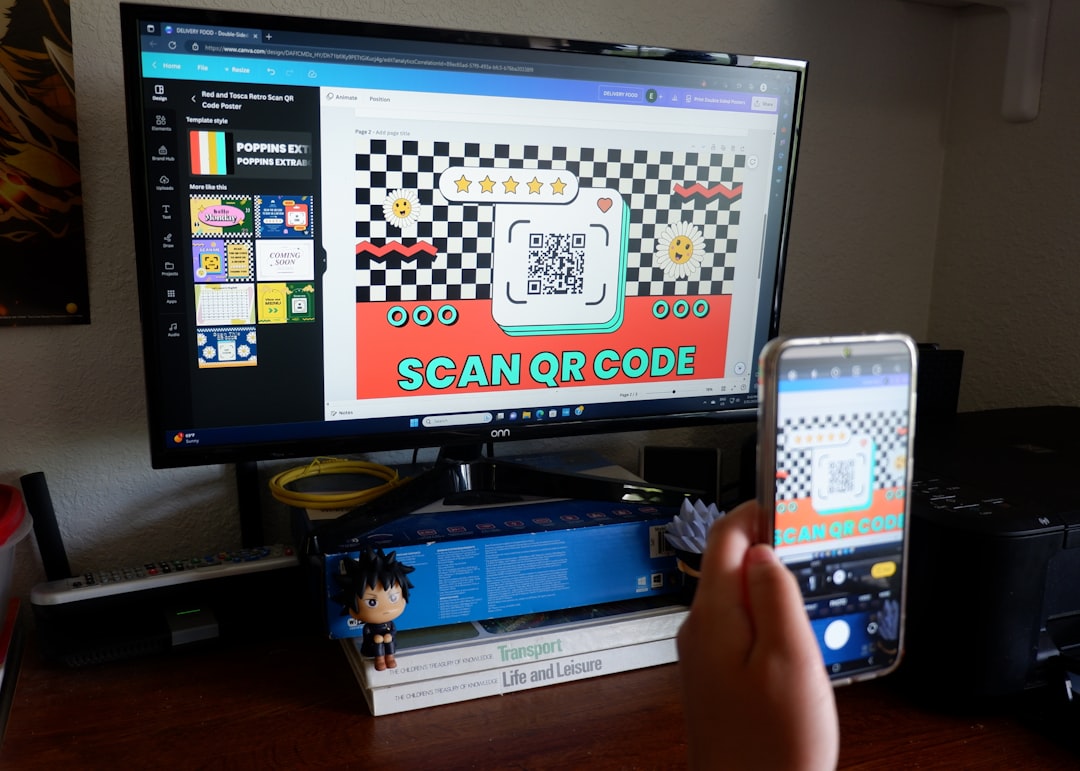
4. Canva QR Code Generator
Canva integrates QR code generation directly into its design platform. While primarily a graphic design tool, it allows users to embed QR codes into flyers, posters, and social media graphics.
Key features:
- Integrated within Canva designs
- Free for basic URL QR codes
- High-quality graphic output
- Suitable for branding projects
This option is especially useful for marketing materials where design aesthetics matter.
5. QR Code Monkey
QR Code Monkey is known for offering extensive customization without cost. It allows logo uploads, gradient colors, and shape modifications.
Key features:
- High-resolution SVG and PNG downloads
- Advanced color customization
- Logo placement support
- No expiration for static codes
For visual branding and business marketing, QR Code Monkey stands out as one of the strongest free options.
Comparison Chart of Popular Free QR Code Generators
| Tool | Free Static Codes | Logo Customization | Dynamic Codes | Registration Required | Best For |
|---|---|---|---|---|---|
| The QR Code Generator | Yes | Yes | Paid | No (static) | Business and marketing use |
| QRStuff | Yes | Limited | Paid | No | Multiple data types |
| goQR.me | Yes | Basic | No | No | Quick and simple codes |
| Canva | Yes | Design based | No | Yes | Marketing materials |
| QR Code Monkey | Yes | Advanced | Paid | No (static) | Branded QR codes |
Static vs Dynamic QR Codes: What You Should Know
Understanding the difference between static and dynamic QR codes is essential when choosing a free generator.
Static QR codes:
- Store information directly in the code
- Cannot be edited once created
- Do not expire
- Ideal for permanent information
Dynamic QR codes:
- Redirect through an intermediate server
- Can be edited after printing
- Often include scan analytics
- Usually require payment after trial period
If you are printing QR codes on packaging, signage, or permanent materials, ensure the provider guarantees that your static code will not be disabled later.

Use Cases for Free QR Code Generators
Free QR code generators are appropriate for a wide range of applications when advanced analytics are not required.
- Restaurants: Digital menus and feedback forms
- Freelancers: Portfolio links on business cards
- Event organizers: Registration or ticket verification
- Educators: Learning resources and assignments
- Retailers: Product information pages
For small-scale or low-budget projects, a static QR code generated for free is often fully sufficient.
Security and Privacy Considerations
Although generating a QR code may seem simple, privacy and security should not be overlooked. A professional platform will:
- Operate under HTTPS encryption
- Clearly state data retention policies
- Provide transparency about code expiration
- Avoid embedding advertisements into your URLs
Be cautious of platforms that require excessive permissions or automatically create intermediary links without clearly informing users. For sensitive use cases such as payments or confidential data access, consider reputable providers with established histories.
Common Mistakes to Avoid
Even when using a reliable generator, mistakes can compromise the effectiveness of your QR code.
- Using low-resolution files for large print formats
- Over-customizing to the point of reducing scan accuracy
- Failing to test the QR code on multiple devices
- Choosing temporary dynamic codes unknowingly
Before distributing or printing your QR code, always test it using different smartphones and scanning apps.
When Should You Upgrade to Paid Plans?
Free tools are often sufficient for static needs. However, upgrading may be appropriate if you require:
- Scan tracking and analytics
- Editability after printing
- Password protection
- Bulk QR code creation
- Professional campaign management
For marketing campaigns where performance measurement is critical, dynamic QR code solutions with analytics provide measurable value.
Final Thoughts
Free QR code generators offer a practical and cost-effective solution for individuals and businesses seeking fast information sharing. Reliable platforms such as QR Code Monkey, QRStuff, goQR.me, Canva, and The QR Code Generator provide trustworthy services with no hidden expiration for static codes.
The key to choosing the right tool lies in clearly identifying your needs. For permanent, straightforward use cases, static QR codes generated for free are typically sufficient. For data tracking and ongoing marketing campaigns, professional dynamic solutions may justify the investment.
Above all, prioritize reliability and transparency. A QR code may look simple, but it often serves as a direct bridge between your audience and your digital presence. Ensuring that bridge remains stable and secure is essential for maintaining credibility and user trust.