

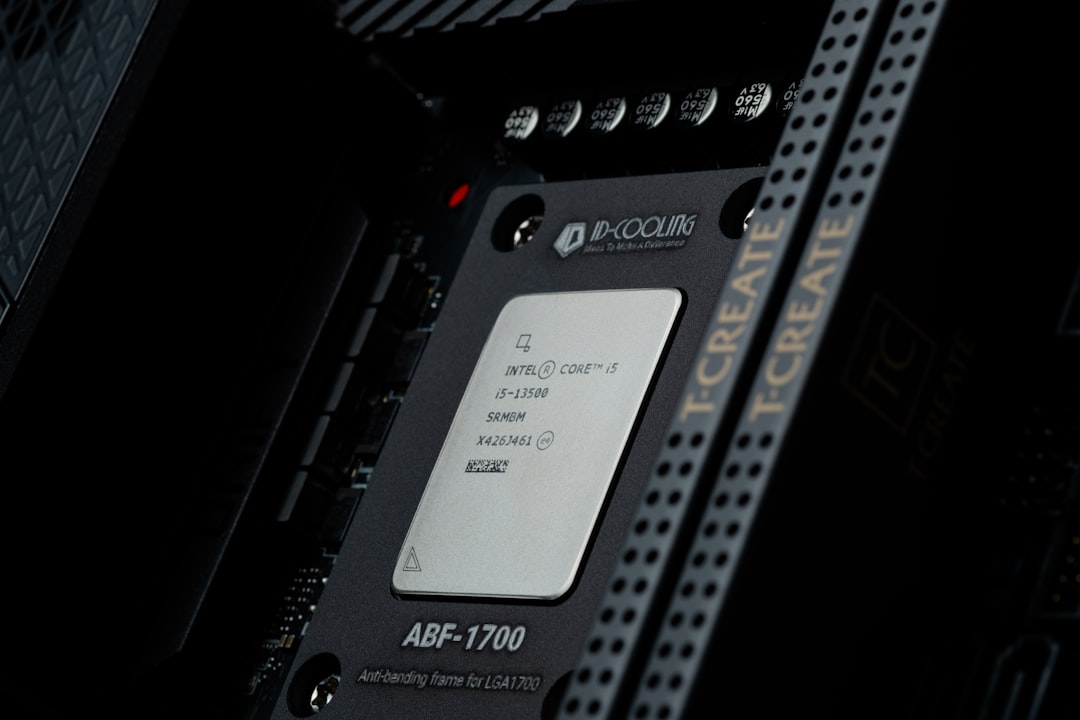
Pairing a mid-range CPU with a powerful graphics card is one of the most debated topics in PC gaming. Many gamers still using Intel’s popular Core i5-9400F wonder whether upgrading to an RTX 3060 Ti will unlock smooth high-refresh gaming—or result in a frustrating bottleneck. The answer isn’t as simple as yes or no. It depends on resolution, game type, and your performance expectations.
TLDR: The Intel Core i5-9400F can bottleneck the RTX 3060 Ti in CPU-heavy games, especially at 1080p and high refresh rates. At 1440p, the bottleneck is much less noticeable because the load shifts toward the GPU. For 60–75 FPS gaming, the combo works well, but competitive 144Hz players may feel the limits of the 6-core processor. Upgrading the CPU makes the most sense for esports or CPU-intensive titles.
Understanding the Core Components
Intel Core i5-9400F Overview
- 6 cores, 6 threads
- Base clock: 2.9 GHz
- Boost clock: up to 4.1 GHz
- No integrated graphics
- Released in Q1 2019
The i5-9400F was one of the best value gaming CPUs of its time. With strong single-core performance and six physical cores, it handled most AAA games comfortably when released. However, it lacks hyper-threading, meaning it only processes six threads simultaneously—something that begins to matter in modern, CPU-demanding titles.
NVIDIA GeForce RTX 3060 Ti Overview
- 8GB GDDR6 VRAM
- Designed for high-refresh 1080p and strong 1440p gaming
- Supports ray tracing and DLSS
- Performance comparable to RTX 2080 Super
The RTX 3060 Ti is significantly more powerful than GPUs typically paired with the 9400F when it launched. This raises the obvious question: can the CPU keep up?
What Is a Bottleneck?
A bottleneck happens when one component limits the performance of another. In this scenario, we’re asking whether the CPU will hold back the GPU from reaching its full frame potential.
There are two main scenarios:
- CPU bottleneck: The processor cannot feed data to the GPU fast enough.
- GPU bottleneck: The graphics card is the limiting factor (this is ideal in most gaming builds).
In gaming, mild bottlenecks are normal. The real concern is whether performance loss is noticeable or significant.
Performance at Different Resolutions
1080p Gaming (Full HD)
At 1080p, games rely more on the CPU because the GPU has less pixel workload. This is where the i5-9400F is most likely to show its limits.
In modern titles like:
- Cyberpunk 2077
- Starfield
- Battlefield 2042
- Assassin’s Creed Valhalla
You may notice that the RTX 3060 Ti isn’t reaching 95–100% usage consistently. Instead, CPU usage may spike near 100%, especially in crowded areas or during heavy physics calculations.
Expected Results at 1080p:
- 60–90 FPS in demanding AAA games (High settings)
- 120–200+ FPS in esports titles
- Drops and stutters in CPU-heavy moments
For competitive gamers using a 144Hz or 240Hz monitor, the CPU can limit maximum frame rates. In esports games like CS2, Valorant, or Fortnite, you may not reach the full potential that newer CPUs can deliver.
1440p Gaming (QHD)
At 1440p, the workload shifts heavily onto the GPU. This is where the RTX 3060 Ti shines—and where the i5-9400F becomes less of a concern.
Expected Results at 1440p:
- 60–100 FPS in most AAA titles (High settings)
- GPU usage near 90–100%
- Minimal noticeable bottleneck in most scenarios
If your goal is smooth 60–75 FPS gameplay at high settings, this combination performs surprisingly well at 1440p.

Game Type Matters More Than You Think
Not all games stress hardware equally. The bottleneck severity depends heavily on the title.
CPU-Heavy Games
- Strategy games (Total War series)
- Simulation games (Microsoft Flight Simulator)
- Large-scale multiplayer titles
These games rely heavily on threads and calculations. Here, the lack of hyper-threading in the 9400F becomes noticeable.
GPU-Heavy Games
- Story-driven AAA titles
- Graphically intense single-player games
In these cases, the RTX 3060 Ti carries the load, and the CPU bottleneck becomes minor.
Quick Comparison: i5-9400F vs Modern Alternatives
| CPU | Cores / Threads | Gaming Performance with 3060 Ti | Bottleneck Risk |
|---|---|---|---|
| i5-9400F | 6 / 6 | Good at 1440p, Limited at 1080p high FPS | Moderate |
| i5-12400F | 6 / 12 | Excellent at 1080p and 1440p | Low |
| Ryzen 5 3600 | 6 / 12 | Very Good overall balance | Low to Moderate |
| Ryzen 5 5600 | 6 / 12 | Excellent pairing | Very Low |
This chart shows that while the 9400F is still capable, newer CPUs with 12 threads provide more headroom and better frame consistency.
Real-World Bottleneck Percentage
While exact bottleneck percentages vary, here’s a reasonable estimate:
- 1080p Ultra: 10–20% CPU bottleneck in demanding titles
- 1440p High: 0–10% bottleneck
- Esports 200+ FPS target: Up to 25% limitation
However, these numbers don’t necessarily translate into a bad gaming experience. A 10–15% bottleneck might mean 120 FPS instead of 140 FPS—hardly noticeable for casual players.
When Should You Upgrade?
You should consider upgrading your CPU if:
- You mainly play competitive esports titles at 144Hz or higher.
- You experience frequent stuttering in CPU-heavy games.
- You plan to upgrade beyond the RTX 3060 Ti.
You can comfortably keep the 9400F if:
- You game at 1440p.
- You target 60–90 FPS.
- You primarily play GPU-bound single-player games.
Additional Considerations
RAM Speed and Capacity
The i5-9400F supports up to DDR4-2666 officially. Slower RAM can slightly worsen CPU bottlenecks. Ideally, you should have:
- 16GB dual-channel RAM
- Running at the maximum supported speed
Background Applications
Since the CPU only has six threads, heavy multitasking (streaming, Discord, Chrome tabs) can reduce gaming performance.
DLSS Helps
DLSS reduces GPU workload by rendering at lower resolutions internally. However, in CPU-bound scenarios, DLSS doesn’t remove the bottleneck—it may even reveal it more clearly at 1080p.
So, Does the i5-9400F Bottleneck the RTX 3060 Ti?
Yes—but not catastrophically.
At 1080p high-refresh gaming, the bottleneck is real and measurable. At 1440p, it becomes minimal in most titles. For the average gamer targeting smooth 60–100 FPS, this pairing is still very viable in 2026.
The i5-9400F may no longer be cutting-edge, but it’s far from obsolete. When paired thoughtfully with the RTX 3060 Ti—and with realistic performance expectations—it can still deliver an enjoyable gaming experience.
Ultimately, your monitor resolution and frame rate goal matter more than synthetic bottleneck percentages. If you crave ultra-high competitive frame rates, upgrade the CPU. If you want beautiful 1440p visuals and smooth gameplay, your current setup can hold strong a little longer.