

Choose ActiveCampaign if your triggered emails are tied to marketing, sales, forms, tags, and CRM activity. Choose Customer.io if your product emits lots of events and you need precise behavioral messaging at scale. Triggered emails are worth getting right: automated emails can generate a large share of email revenue while making up a small share of total sends, according to Omnisend’s email marketing statistics [source: Omnisend].
TLDR: ActiveCampaign is better for small teams that want event-based automation plus email marketing, simple CRM, lead scoring, and sales follow-up in one place. Customer.io is better for SaaS, marketplaces, fintech apps, and mobile products where messages depend on product actions such as created project, invited teammate, or failed payment. For example, a SaaS company with 10,000 trial users might send one email when a user signs up, another if they skip setup for 24 hours, and a third if they hit a usage milestone. If most of those triggers come from app events rather than web forms, Customer.io usually fits better.
What triggered emails actually are
A triggered email is sent because a person did something, or failed to do something. It is not a newsletter blast. It is not a random promo. It reacts to behavior.
- A signup email after a new account is created.
- An abandoned cart email after a shopper leaves items behind.
- A billing warning after a payment fails.
- An onboarding nudge after a user skips a key step.
- A win-back message after 30 days of inactivity.
The best triggered emails feel timely. They answer a question before the user asks it. Bad ones feel robotic, late, or weirdly generic. That is where the platform matters.
Image not found in postmeta
ActiveCampaign: best for marketing-led automation
ActiveCampaign started with email marketing and grew into automation, sales CRM, landing pages, forms, site tracking, and customer journeys. That history matters. The platform is strong when your triggers come from marketing activity.
Think of actions like opening an email, clicking a link, submitting a form, visiting a pricing page, joining a list, or getting tagged by a sales rep. ActiveCampaign handles those well. Its automation builder is visual and approachable. You can create paths based on tags, lists, custom fields, purchases, email engagement, and site visits.
Where ActiveCampaign shines:
- Simple behavioral journeys: welcome series, lead nurturing, webinar follow-up, cart reminders, and sales handoffs.
- CRM-connected triggers: create deals, move contacts between pipeline stages, assign tasks, and notify sales teams.
- Segmentation: build groups based on tags, fields, activity, and engagement.
- Small team usability: marketers can build useful flows without asking engineering for every little thing.
- Email templates: solid enough for newsletters, campaigns, and automation messages.
The catch is that event-based automation in ActiveCampaign can feel less natural once your product behavior gets complex. Yes, you can pass custom events and use integrations. But if your team thinks in terms of product analytics, event properties, nested conditions, and multi-channel lifecycle logic, you may hit friction.
For example, building a trigger like “send this only if the user created two projects, invited zero teammates, viewed billing once, and belongs to a workspace with more than five members” may take more setup than expected. It can be done in some cases. It just may not feel clean.
Customer.io: best for product-led event automation
Customer.io is built around behavioral data. It expects your app or website to send events. Those events can then trigger campaigns, branches, filters, conversions, and message timing.
This makes it a strong fit for product-led companies. SaaS teams use it for onboarding. Marketplaces use it for buyer and seller flows. Mobile apps use it for lifecycle messaging. Subscription businesses use it for billing, renewal, and churn prevention.
Where Customer.io stands out:
- Event-first structure: trigger messages from actions like uploaded file, completed lesson, or started checkout.
- Event properties: personalize and filter messages using details sent with the event.
- Multi-step journeys: build flows that react to what users do next.
- Product onboarding: guide users based on real usage, not just signup date.
- Multi-channel messaging: email, SMS, push, in-app messages, and webhooks depending on your setup.
Honestly, it feels like Customer.io was made for teams that already track product events and are tired of forcing that data into tools built for newsletters. If your product has 20, 50, or 100 meaningful user actions, Customer.io gives you more room to work.
Image not found in postmeta
Setup and data: the real split
The biggest difference is not the email editor. It is the data model.
ActiveCampaign thinks mainly in contacts, lists, tags, fields, deals, campaigns, and automations. That works beautifully for many marketing teams. It is familiar. It is quick. It is also easier to explain to non-technical users.
Customer.io thinks in people, events, attributes, segments, campaigns, and journeys. That structure is better when behavior changes every hour. It also means your engineering or data team may need to help with implementation.
Expect to waste time on naming if you skip planning. Is the event called Trial Started, trial_started, or Started Trial? That tiny mess becomes painful later. Customer.io rewards clean tracking plans. ActiveCampaign is more forgiving for basic use, but less elegant for complex product signals.
Triggered email examples in both tools
Here is how the same use case might work in each platform.
Example: trial onboarding
Scenario: A user signs up for a 14-day software trial. The goal is to get them to create a project, invite a teammate, and publish one item.
In ActiveCampaign:
- User submits a signup form or enters a list.
- Automation sends a welcome email immediately.
- If the user clicks the setup guide, add a tag.
- If no click happens after two days, send a reminder.
- If the lead score rises, create a CRM deal for sales.
In Customer.io:
- App sends signed_up event.
- User receives a welcome email.
- If no project_created event appears within 12 hours, send a setup nudge.
- If project_created happens but teammate_invited does not, send a collaboration tip.
- If the user completes all three actions, send an upgrade message with usage-based personalization.
Both flows can work. The Customer.io version is more tied to actual product behavior. The ActiveCampaign version is simpler if your main signals are clicks, forms, tags, and sales status.
Email editing and personalization
ActiveCampaign has a friendlier email builder for many marketers. It is comfortable for promotional emails, nurture emails, and newsletters. You can drag, drop, edit blocks, and move fast.
Customer.io gives you strong personalization, but it often feels more technical. Liquid-style logic, event data, and conditional content are powerful. They are also easier to break if your team lacks QA habits.
If your team wants polished marketing emails without touching code, ActiveCampaign has the edge. If your team wants emails that say, “Your workspace Acme Growth has 3 pending invites,” Customer.io is usually the better fit.
Reporting and optimization
ActiveCampaign reporting is useful for campaign performance, automation activity, deals, contacts, opens, clicks, and revenue tracking in supported ecommerce setups. It answers common marketing questions well.
Customer.io reporting is stronger when you care about journey performance tied to events. You can track conversions after messages, compare branches, and measure whether users completed a product action. That makes it useful for activation, retention, and lifecycle teams.
Image not found in postmeta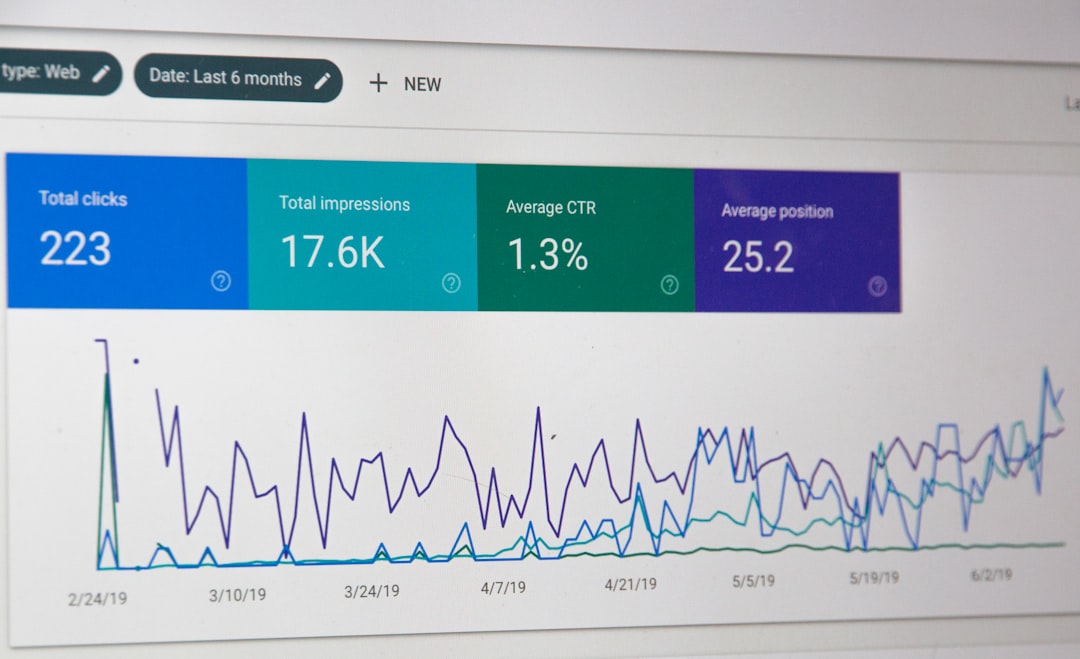
Which one should you pick?
Pick ActiveCampaign if:
- You need email marketing, CRM, and automation in one system.
- Your team is mostly marketing and sales.
- Your triggers are based on forms, tags, clicks, visits, lists, and pipeline stages.
- You want a faster start with less engineering work.
- You send newsletters and automated sequences from the same tool.
Pick Customer.io if:
- Your product sends many events.
- Your onboarding depends on real feature usage.
- You need messages based on event properties and user attributes.
- You have engineering support for implementation.
- You care about activation, retention, and product lifecycle campaigns.
Final verdict
ActiveCampaign is the better all-rounder for marketing automation with CRM support. It is practical, approachable, and strong for teams that need campaigns, sales follow-up, and customer journeys without a heavy data project.
Customer.io is the better choice for event-based automation tied to product behavior. It asks for cleaner data and more planning, but it gives product-led teams far more control.
If your triggered emails start with “when someone joins a list”, use ActiveCampaign. If they start with “when someone performs this action inside the product”, use Customer.io.