

Use Google Search Console first, then Semrush. Search Console is the only place that can confirm a manual action, while Semrush is better at spotting timing, keyword losses, competitor movement, and wider ranking patterns. Google says the Manual Actions report shows issues found by human reviewers that can cause pages, or an entire site, to rank lower or be left out of search results [source: Google].
TLDR: If rankings collapse, check Google Search Console first for manual actions, indexing problems, security issues, and sharp click drops. Then use Semrush to see which keywords, pages, and competitors changed at the same time. For example, if a store drops from 42,000 organic clicks to 25,000 in 14 days, Search Console may show whether Google flagged the site, while Semrush may show that 68% of lost keywords were product pages hit after a core update. The best diagnosis comes from using both tools, not picking one.
What Counts as a Google Penalty?
A “Google penalty” usually means one of two things. The first is a manual action, where a human reviewer at Google flags your site for spam, unnatural links, thin content, cloaking, hacked pages, or other violations. The second is an algorithmic ranking drop, where your site loses visibility after Google updates how it ranks content.
That distinction matters. A manual action is visible in Google Search Console. An algorithmic drop is not labeled with a big red warning. Annoying, yes. But that is how it works.
This is where many SEO teams waste days. They open one tool, see traffic down, and call it a penalty. That is too fast. A ranking drop can also come from technical errors, lost backlinks, noindexed pages, seasonality, stronger competitors, content decay, or tracking changes.
Google Search Console: The Official Diagnostic Tool
Google Search Console is the first stop because it uses Google’s own data. It does not estimate your clicks. It reports real impressions, clicks, index status, page experience signals, crawl issues, and manual actions.
For penalty diagnosis, the most useful areas are:
- Manual Actions: Confirms whether Google has applied a human-reviewed penalty.
- Security Issues: Shows hacked content, malware, or deceptive pages.
- Performance: Shows clicks, impressions, average position, query losses, and page losses.
- Indexing: Shows pages that are excluded, crawled but not indexed, or blocked.
- Links: Helps review internal links and external link patterns.
If a manual action appears, Search Console usually gives a reason. Common examples include unnatural links to your site, thin content with little value, pure spam, or user-generated spam. That message is gold. Semrush cannot replace it.
The catch is that Search Console can feel painfully limited when you need speed. Data can lag. Filtering large reports gets clunky. Exporting many pages often takes longer than it should. It drives me crazy that a simple comparison can turn into five tabs, two exports, and a spreadsheet cleanup.
Where Search Console Wins
Search Console is best when you need an answer to this question: “Did Google officially flag my site?”
It also wins for finding technical causes that look like penalties. For example, a site may lose 50% of traffic after a developer accidentally adds a noindex tag to key templates. Semrush may show ranking drops, but Search Console can show that pages are no longer indexed.
Use Search Console when you need to:
- Confirm or reject a manual action.
- Check whether pages are indexed.
- Compare clicks and impressions before and after the drop.
- Find whether a ranking drop is query-specific or sitewide.
- Check if Google is seeing canonical, crawl, or redirect issues.
Semrush: The Pattern Finder
Semrush is not Google. That means it cannot confirm a manual action. But it is very useful for spotting patterns that Search Console hides or makes hard to compare.
Semrush can show estimated keyword positions, visibility trends, SERP competitors, backlink changes, content gaps, and volatility dates. That makes it strong for diagnosing algorithmic ranking losses.
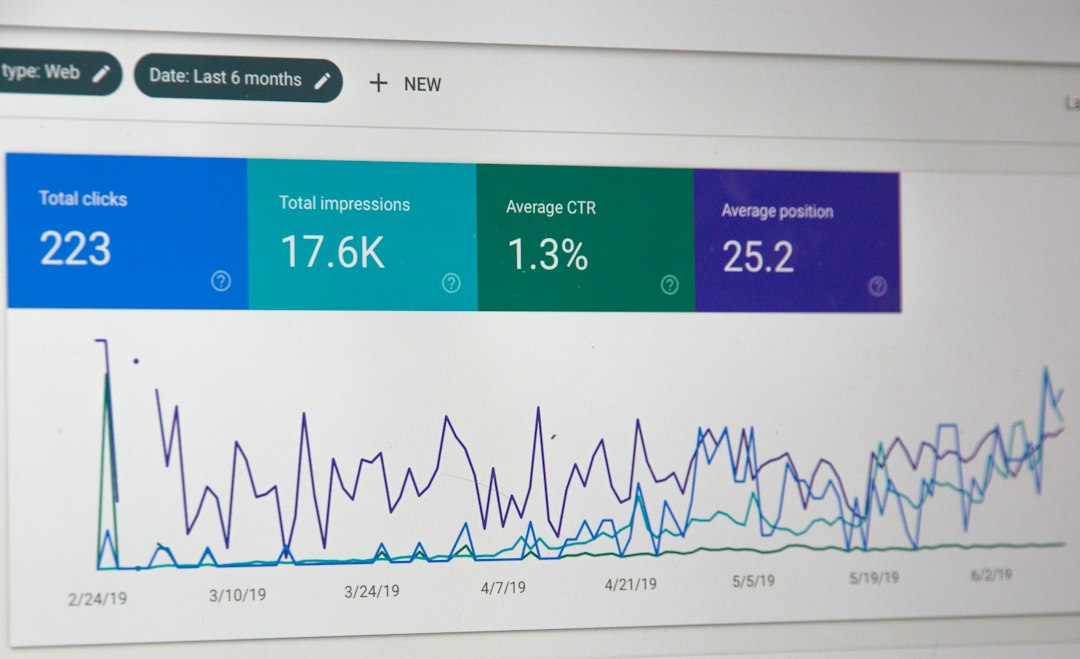
Say your blog loses 31% of organic clicks. Search Console shows the drop, but not much context. Semrush may show that 140 keywords fell from positions 3–8 to positions 11–20, while three competitors gained featured snippets in the same week. That points to content quality, search intent, or SERP layout shifts rather than a manual penalty.
Where Semrush Wins
Semrush is strongest when you need to answer: “What changed around us?”
That includes competitors, backlinks, SERP features, and keyword clusters. Search Console only shows your property. Semrush gives a broader view, even if some numbers are estimates.
Use Semrush when you need to:
- Track keyword drops by position group.
- Compare your visibility against competitors.
- Spot lost backlinks or toxic-looking link spikes.
- Match traffic drops with known Google update dates.
- Find pages that lost rankings across many related terms.
Honestly, it feels like Semrush is often better at telling the story. Search Console gives raw evidence. Semrush gives context. You still need judgment, but the pattern becomes easier to read.
Manual Penalty Diagnosis: Use Search Console First
If you suspect a manual penalty, do not start with keyword charts. Start here:
- Open Google Search Console.
- Go to Security & Manual Actions.
- Check Manual Actions.
- Check Security Issues.
- Review the message, affected pages, and examples.
If there is a manual action, your next step is cleanup. Remove spam. Improve thin pages. Fix hacked content. Audit bad links. Then submit a reconsideration request. Be specific. Do not send a vague “we fixed everything” message.
Semrush can help during cleanup. It can support link audits, traffic comparisons, and page prioritization. But the penalty confirmation comes from Search Console.
Algorithmic Drop Diagnosis: Use Both
Algorithmic drops are messier. There may be no warning. No message. No clean explanation. You have to build a case from signals.
Start in Search Console. Compare the last 28 days with the previous 28 days. Look at clicks, impressions, average position, queries, and pages. If impressions dropped hard, Google may be showing your pages less often. If impressions stayed steady but clicks dropped, SERP features or titles may be the issue.
Then open Semrush. Check whether the loss matches keyword ranking drops. Look for competitor gains. Review backlink losses. Check if the date lines up with a known Google update. Google’s Search Status Dashboard lists confirmed ranking incidents and updates when available [source: Google].
A Practical Workflow for Ranking Penalty Checks
Use this order when traffic drops fast:
- Confirm the drop: Check analytics and Search Console. Rule out tracking errors.
- Check manual actions: If there is a message, follow Google’s issue type.
- Check indexing: Look for noindex tags, robots blocks, canonical mistakes, and server errors.
- Segment the loss: Is it one directory, one template, one topic, or the whole site?
- Compare keywords: Use Semrush to find ranking groups that fell together.
- Review competitors: See who gained your lost positions.
- Audit links and content: Look for spam links, weak pages, duplication, or outdated information.
Which Tool Should You Trust More?
Trust Google Search Console for official signals. Trust Semrush for market context. Do not trust either tool blindly.
Search Console can under-explain problems. Semrush can overstate them because its traffic and keyword numbers are estimates. A keyword shown as “lost” in Semrush may still drive impressions in Search Console. A page with fewer clicks may still rank fine, but face lower demand.
The smart move is simple. Use Search Console to prove what Google is doing with your site. Use Semrush to understand what changed in the search results around your site.
Final Verdict
If you can only open one tool during a suspected penalty, open Google Search Console. It is the only tool that can confirm a manual action and show Google’s direct indexing signals.
But if you stop there, you may miss the bigger reason rankings fell. Semrush helps connect the drop to keywords, competitors, backlinks, and search result changes. For serious SEO recovery, the best answer is boring but true: use both, in the right order.