

For most Windows users, choose OpenVPN when compatibility, mature controls, and corporate support matter; choose WireGuard when speed, clean setup, and lower overhead matter more. The best Windows VPN client is not always the newest one. It is the one that fits your network rules, security model, and support workload.
TLDR: OpenVPN is still the safer default for many businesses because it handles older networks, proxies, certificates, and strict firewall rules well. WireGuard is usually faster and simpler; in many real-world tests, it can cut connection time from about 6–10 seconds to 1–3 seconds. For example, a remote employee moving between home Wi-Fi and mobile hotspot may notice WireGuard reconnecting faster, while an accounting firm using certificate-based access controls may prefer OpenVPN. Windows also has built-in VPN options, but they are not always easier to manage.
OpenVPN on Windows: what it does well
OpenVPN is one of the most widely used VPN protocols on Windows. It is open source, heavily reviewed, and supported by many firewalls, routers, cloud networks, and business VPN providers. For companies that already run OpenVPN Access Server, pfSense, OPNsense, MikroTik, Synology, or a managed VPN service, the Windows client is often the path of least resistance.
OpenVPN can use TCP or UDP, supports strong encryption, and works with certificates, usernames, passwords, MFA systems, and custom access rules. This flexibility is the main reason it remains popular. If users connect from hotels, airports, shared offices, or restrictive networks, OpenVPN over TCP port 443 can often pass traffic where other protocols fail.
The catch is that OpenVPN on Windows can feel heavier than it should. Profile imports, TAP or Wintun driver issues, admin permissions, and certificate errors still cause support tickets. It is not rare for a simple “import this profile and connect” task to turn into a 15-minute remote support session.

OpenVPN Connect vs OpenVPN GUI
Windows users usually meet OpenVPN through one of two apps: OpenVPN Connect or the older OpenVPN GUI.
- OpenVPN Connect: The official client from OpenVPN Inc. It has a clearer interface, easier profile imports, and better fit for OpenVPN Access Server.
- OpenVPN GUI: A leaner client often used with community OpenVPN setups. It sits in the system tray and works well for admins who prefer direct control over configuration files.
For regular staff, OpenVPN Connect is usually easier. For technical teams, OpenVPN GUI can be more predictable because it exposes configuration behavior more directly. Neither is perfect. Windows updates can still break drivers or permissions in annoying ways.
WireGuard on Windows: faster, simpler, stricter
WireGuard takes a different approach. It uses modern cryptography, a small codebase, and simple configuration files. The official Windows client is clean, fast, and usually easy to understand. There are fewer buttons and fewer legacy options.
Speed is WireGuard’s biggest selling point. It often delivers lower latency, higher throughput, and quicker reconnection than OpenVPN. On laptops, it may also use fewer CPU resources. That matters when users spend all day on video calls, shared drives, remote desktops, and cloud apps.
Honestly, it feels like WireGuard fixes many things that made older VPN clients irritating. Profiles are short. Connections start fast. The client does not look like it was built for a server room in 2009.
Still, WireGuard is not automatically better for every business. Its simplicity also means fewer native enterprise features. It does not handle username and password login in the same traditional way as OpenVPN. Key management must be planned well. If a laptop is lost, the related key must be removed from the server. That process is simple, but only if someone owns it.
Security comparison: OpenVPN vs WireGuard
Both OpenVPN and WireGuard can be secure when configured correctly. A weak setup can ruin either one.
- OpenVPN: Mature, flexible, and widely audited. It supports many cryptographic choices, which is useful but can also invite poor configuration.
- WireGuard: Smaller codebase and modern defaults. Fewer choices reduce mistakes, but key handling needs discipline.
- Authentication: OpenVPN works well with passwords, certificates, MFA, LDAP, RADIUS, and SAML through supporting platforms.
- Access control: OpenVPN often fits complex business policies more easily. WireGuard can do access control, but usually through surrounding firewall rules or management tools.
For regulated sectors, OpenVPN may be easier to justify if existing procedures already reference it. For startups and small teams, WireGuard can offer a cleaner security model with less clutter.
Performance and reliability on Windows
On Windows 10 and Windows 11, WireGuard usually wins on raw performance. It connects quickly and handles network changes well. If a user closes a laptop, moves to another Wi-Fi network, and resumes work, WireGuard often recovers with less drama.
OpenVPN is strong when the network is hostile or unusual. It can run over TCP 443, which looks similar to normal HTTPS traffic. This can help in places where UDP traffic is blocked. WireGuard normally uses UDP, so it may have trouble on networks that block or throttle UDP.
The practical choice is simple: if users complain about slow VPN speed, try WireGuard. If users complain they cannot connect from certain hotels, client sites, or public networks, OpenVPN may be more reliable.
Windows built-in VPN client alternatives
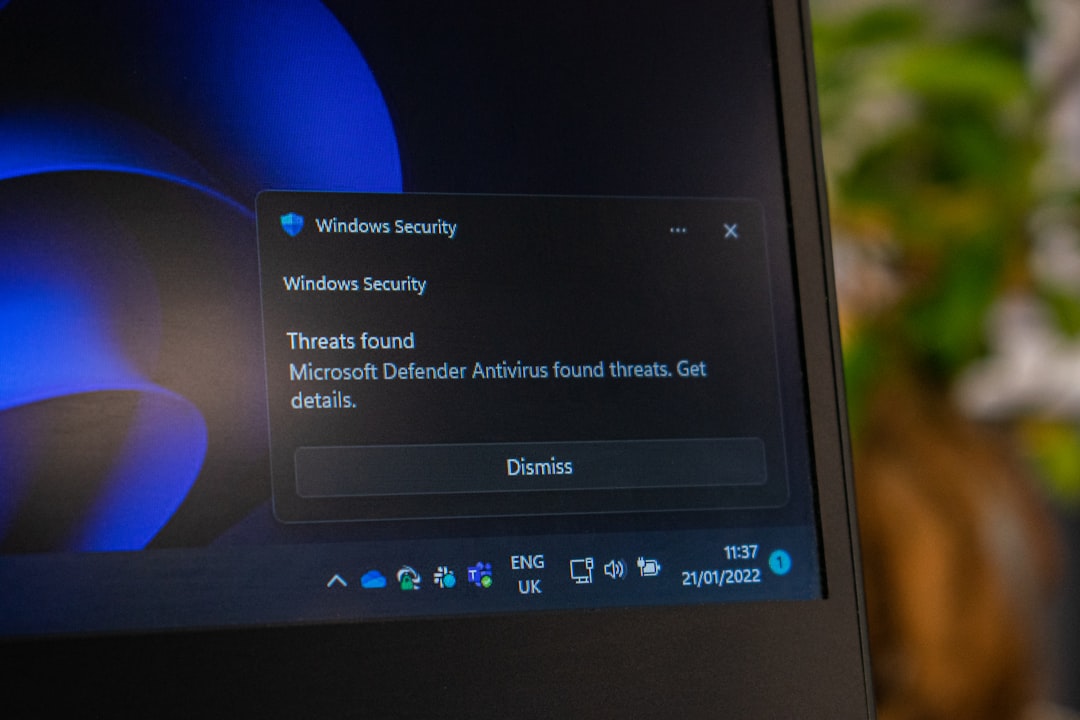
Windows includes its own VPN client. It supports protocols such as IKEv2, L2TP/IPsec, SSTP, and older options that should usually be avoided. The built-in client is useful because there is no separate app to install. It can also be managed through Intune, Group Policy, or mobile device management tools.
That sounds convenient. Then you hit the settings screens. Certificate placement, EAP settings, split tunneling, DNS behavior, and user permissions can be painful. A single missed option can stop the connection with a vague error code.
Here are the main alternatives:
- Windows built-in IKEv2: Good for managed business laptops. Fast and stable when configured correctly.
- Windows built-in SSTP: Useful because it runs over TCP 443. Often works through restrictive firewalls, but performance may suffer.
- Commercial VPN provider apps: Best for privacy-focused users, travel, and simple personal protection. Less suitable for custom office access unless the provider supports it.
- Viscosity: A polished paid client for OpenVPN and WireGuard. Good for users who want a cleaner interface and better profile handling.
- Tailscale: Built on WireGuard. Strong choice for small teams that want device-to-device access without running a traditional VPN server.
- ZeroTier: Another software-defined networking option. Useful for distributed teams, labs, and mixed device networks.
Which client should a business choose?
If your company already uses OpenVPN and it works, there is no urgent reason to replace it. Improve the client rollout instead. Use signed installers, clear profiles, MFA, and documented recovery steps. Standardize on either OpenVPN Connect or OpenVPN GUI, not both, unless there is a clear reason.
If you are building a new remote access system, test WireGuard early. It is often easier for users and lighter on endpoints. For a 25-person company with cloud-hosted tools and only a few internal services, WireGuard or Tailscale may reduce admin work by hours each month.
For larger environments, ask these questions before choosing:
- Do users connect from restrictive networks?
- Is MFA required?
- Do you need per-user access rules?
- Will VPN profiles be deployed through Intune or Group Policy?
- Who removes access when a device is lost or an employee leaves?
- Do users need full tunnel routing or split tunneling?
The answers matter more than protocol branding.
Best choice by user type
- Home user: Use the app from your VPN provider. If self-hosting, WireGuard is usually easier.
- Small business: WireGuard, Tailscale, or OpenVPN Access Server are practical choices. Pick based on support skill.
- Enterprise: OpenVPN, IKEv2, or a managed zero trust access platform may fit better than a manual WireGuard setup.
- IT admin managing legacy systems: OpenVPN remains a safe and flexible option.
- Performance-focused user: Start with WireGuard.

Final recommendation
Use OpenVPN on Windows when you need proven compatibility, mature authentication, and strong control over complex environments. Use WireGuard when you want speed, simpler configuration, and fewer moving parts. Use the Windows built-in VPN client when device management is already centralized and your IT team can enforce settings cleanly.
The best answer is often mixed. A company may keep OpenVPN for finance and admin systems, while using WireGuard or Tailscale for developers and light remote access. That is not messy if policies are clear. It is just practical security.