

A suspected server infector script should be treated as an active breach, not a routine malware alert. These scripts are built to spread, persist, steal data, or prepare a server for later abuse. Fast isolation, evidence preservation, and clean rebuilds usually matter more than trying to “fix” a compromised machine in place.
TLDR: A server infector script is malicious code that compromises a server and may spread to files, services, websites, containers, or connected systems. For example, a hosting provider that found one infected PHP upload folder later discovered malicious changes across 37% of sites on the same shared server. Detection depends on log review, file integrity checks, endpoint telemetry, and network monitoring. Secure response means isolating the host, preserving evidence, removing attacker access, and restoring from trusted sources.
What a Server Infector Script Means
A server infector script is malware designed to run on a server and alter its environment. It may inject code into web files, create hidden admin users, install a web shell, modify scheduled tasks, or download extra payloads. Some scripts are crude. Others are quiet and patient.
Attackers often target servers because they hold valuable data and sit on fast networks. A single compromised server can send spam, host phishing pages, mine cryptocurrency, steal credentials, or attack internal systems. That is why one strange file in a web directory should not be brushed off as “just a script.”
The catch is that infected servers often keep working. Websites load. APIs respond. Backups run. Meanwhile, the script may be changing files every few minutes or calling command servers from the background.
Common Infection Paths
- Unpatched software: Old CMS plugins, admin panels, mail servers, and file upload tools are frequent targets.
- Weak credentials: Reused passwords, exposed SSH keys, and missing multifactor controls make entry easy.
- Unsafe file uploads: Attackers may upload scripts disguised as images, documents, or backups.
- Compromised third-party code: Themes, extensions, and packages can carry malicious changes.
- Misconfigured permissions: A web process with write access to too many folders helps infections spread.
Shared hosting makes the problem worse. If one account has poor isolation, malware may move into neighboring sites. In cloud environments, stolen access tokens can lead to new virtual machines, altered security groups, or exposed storage buckets.
Malware Risks and Business Impact
The most obvious risk is data theft. Customer records, API keys, database passwords, private files, and session tokens may be copied. The less obvious risk is trust damage. Search engines may flag the site. Email providers may block the domain. Payment processors may demand proof of cleanup.
Operational damage can be just as painful. A server may slow down due to cryptomining. CPU spikes can make normal apps unstable. Backups may capture infected files, which means recovery takes longer. Honestly, it feels like security teams are often forced to waste hours proving that a “small” suspicious file was not small at all.
There are legal and compliance issues too. If regulated data is involved, the organization may need breach reporting, customer notices, and external forensic support. A rushed cleanup can destroy evidence and create even bigger problems later.
Warning Signs of Infection
- New or modified files in web directories with odd names or recent timestamps.
- Unexpected admin users, SSH keys, service accounts, or database accounts.
- Outbound traffic to unknown IP addresses or rare countries.
- Scheduled tasks, cron jobs, or startup services that no one recognizes.
- Web pages redirecting users to spam, fake updates, or login clones.
- High CPU usage, strange processes, or repeated crashes.
- Security tools disabled, logs deleted, or permissions changed.
No single sign proves infection. A pattern does. A new script plus outbound traffic plus changed permissions is a serious signal.
Detection Techniques That Work
File integrity monitoring helps spot unauthorized changes. It compares current files with a known good baseline. This is useful for web roots, configuration folders, startup paths, and application directories.
Log analysis is another key method. Web logs may show suspicious upload requests, encoded parameters, odd user agents, or repeated errors before a compromise. Authentication logs can show brute-force attempts or successful logins from strange locations.
Endpoint detection and response tools can catch process behavior. They may flag a web server process spawning a shell, a script writing to system paths, or a service contacting risky infrastructure.
Network monitoring can reveal command traffic, data transfers, and scanning. DNS logs are especially useful. Many malware families call out to domains that were created recently or changed often.
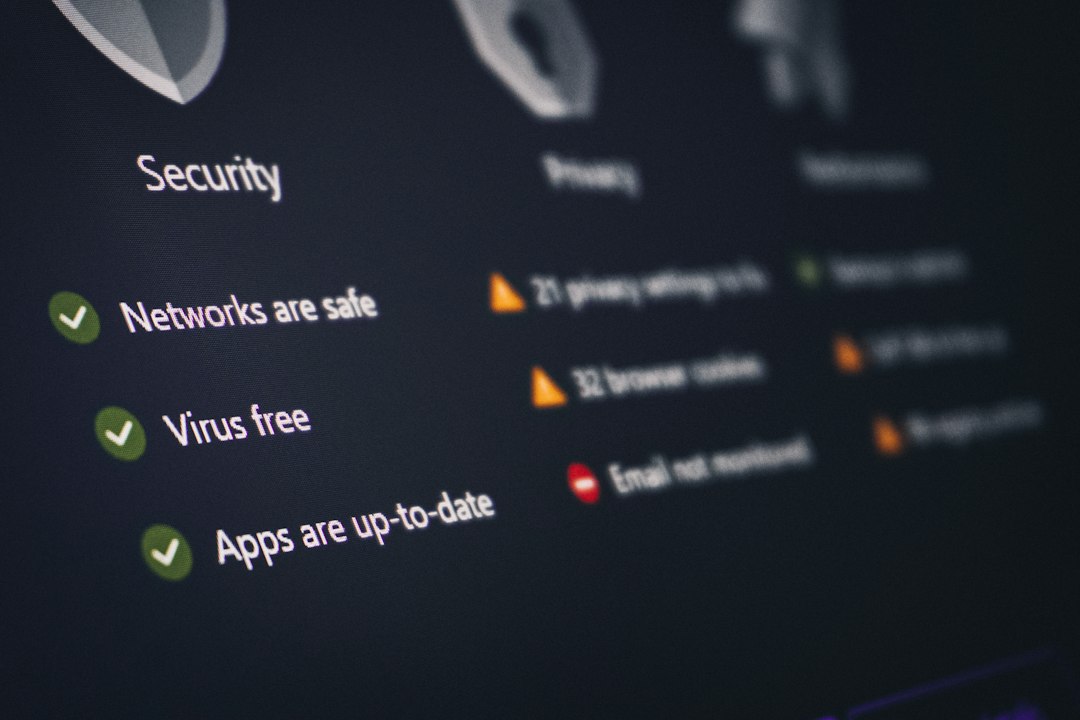
Malware scanning still has value, but it should not be the only control. Signature tools miss obfuscated scripts. Attackers also change small parts of malware to avoid detection. Behavior and context matter more than a single scan result.
Secure Incident Response
The first step is containment. The affected server should be isolated from the network or moved into a restricted security group. If total isolation would break critical service, access should be limited to trusted response systems only.
Next comes evidence preservation. Teams should capture disk images, memory where possible, key logs, running processes, active network connections, and cloud audit records. This helps determine how the attacker entered and what was touched.
Then responders should remove attacker access. That means rotating passwords, SSH keys, API tokens, database credentials, and service secrets. If those secrets were stored on the server, they should be treated as exposed.
Cleanup should be careful. Deleting the obvious script does not prove safety. Persistence may exist in cron jobs, system services, hidden users, web shell backdoors, modified libraries, or altered application code. In many cases, the safer path is a clean rebuild from trusted images, followed by restoration of verified data.
After recovery, patch the entry point. If an old plugin caused the issue, remove or update it. If credentials were weak, enforce multifactor authentication and stronger access rules. If upload controls failed, restrict file types, scan uploads, and store them outside executable paths.

Prevention Measures
- Patch quickly: Internet-facing software needs a routine update process.
- Reduce write permissions: Web services should not write to code directories unless required.
- Use least privilege: Admin rights should be rare and reviewed often.
- Segment systems: A web server should not have broad access to internal databases or file shares.
- Protect secrets: Store credentials in proper secret managers, not plain text files.
- Monitor continuously: Alerts should cover file changes, logins, privilege changes, and outbound traffic.
- Test backups: Backups are only useful if restored data is clean and recovery is proven.
Security teams should also run tabletop exercises. A simple question helps: if a production server were infected at 2:00 a.m., who would isolate it, who would approve downtime, and who would contact legal or compliance staff?
FAQ
-
What is a server infector script?
It is malicious code that runs on a server and modifies files, settings, users, services, or connected systems. Its goal may be persistence, spread, theft, spam, mining, or remote control. -
Can antivirus remove it completely?
Sometimes it removes known files. It may not remove hidden access, stolen credentials, altered settings, or the original entry point. -
Should an infected server be rebuilt?
In many serious cases, yes. A clean rebuild from trusted media is often safer than trusting a repaired system. -
Are backups safe after infection?
Not always. Backups made after compromise may contain malware. Teams should restore from a known clean point and scan restored content. -
What evidence should be kept?
Logs, suspicious files, disk images, process lists, network records, user changes, and cloud audit events should be preserved before major cleanup. -
What is the fastest way to reduce risk?
Isolate the server, rotate exposed credentials, block suspicious traffic, preserve evidence, and rebuild from trusted sources when compromise is confirmed.